 TGX Account
Step 1: View order and card key information
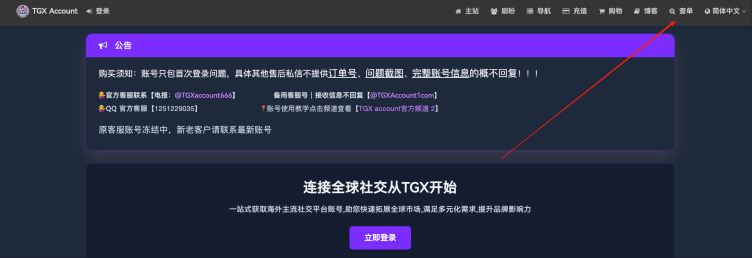
Click “Check Order” in the upper-right corner of the TGXaccount platform (unregistered users cannot view it)
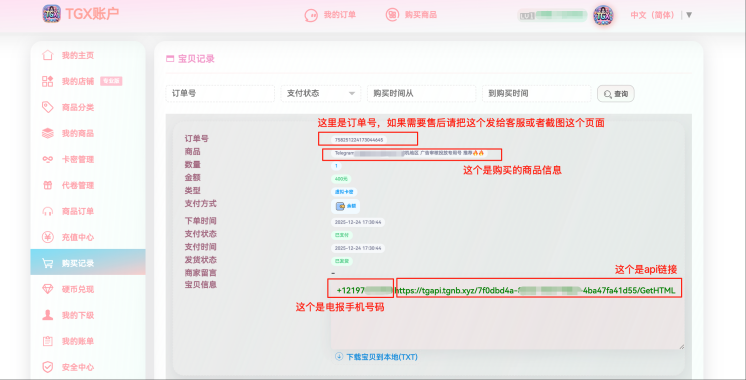
Step 2: View card key information and order number
Step 3. Log in to your account: Open the Telegram login interface and enter your phone number
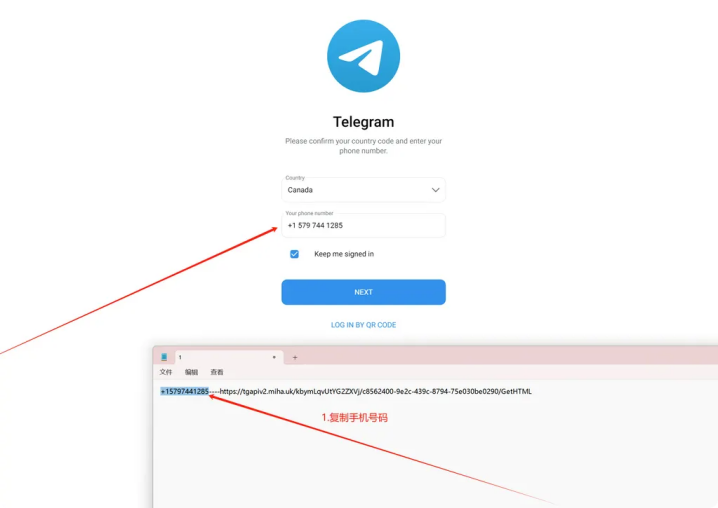
Step 4: After entering your phone number, click Next. Here, you need to enter your login code
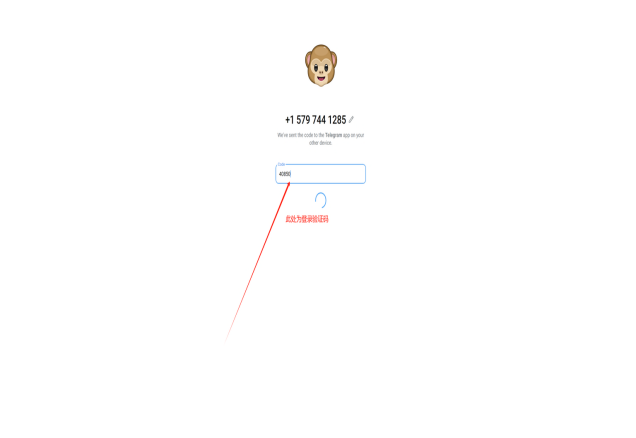
Step 5: (The login information will only appear after completing the previous steps and logging in)
Copy the API link from the card key information into a browser. You can use any browser on your phone or computer.

After entering, you will be redirected to this interface
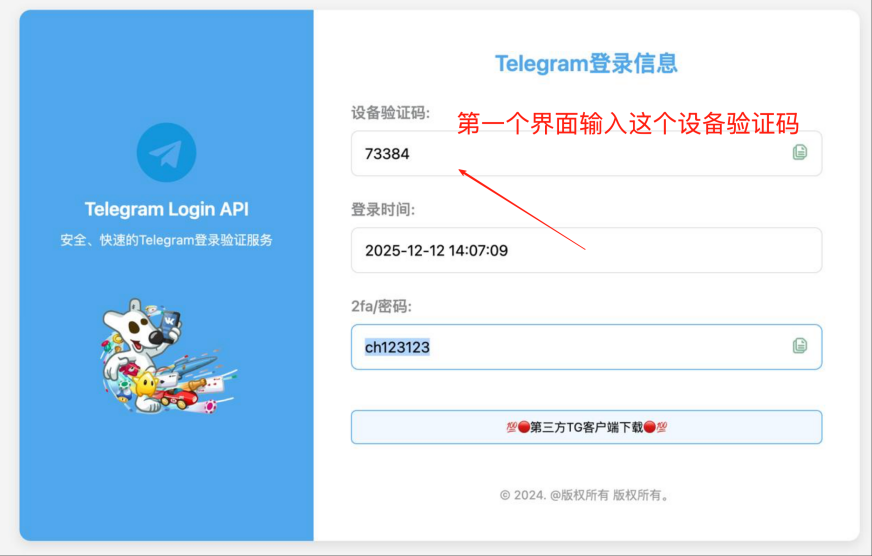
Step 6: After entering the device verification code, click Next to enter the two-step verification code
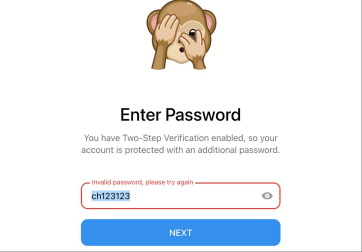
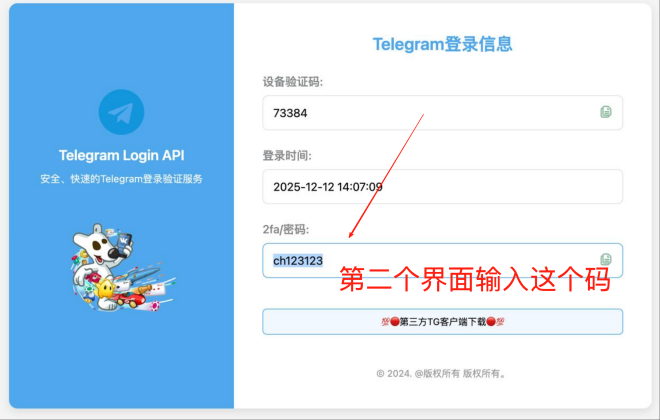
You have successfully logged in

If you have any problems, please contact customer service. You can place an order yourself on the official website
📩 Official website:https://www.tgxaccount.com
💁♀️Telegram customer service:https://t.me/tgxaccount_bot
Contact customer service for two-way support 2️⃣: https://t.me/tgxaccount_bot